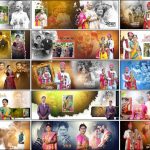
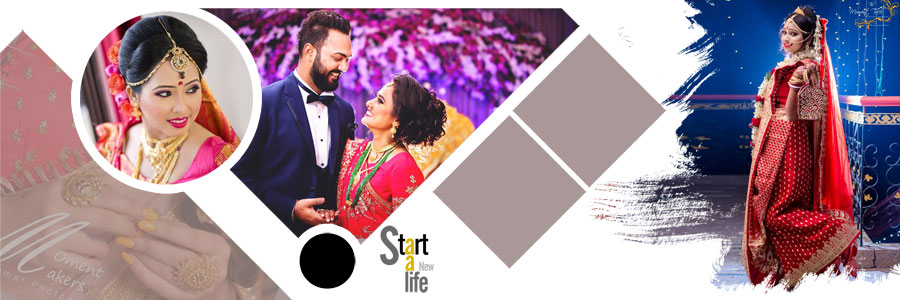
Pre-wedding photographs deserve album layouts that bring out the best in every pose, expression, and location. From romantic couple portraits to bridal close-ups and traditional wedding looks, the right photo arrangement can make these memories more special. This collection of 20 Latest 12×36 Pre-Wedding Album PSD Designs Free Download offers a variety of ready-made layouts for wedding photographers, album designers, and Photoshop users. Designers can also explore the wider wedding album design PSD collection on StudioPK for more ideas. These templates feature blue, purple, maroon, red, golden, and white colour schemes, along with circular frames, diamond-shaped photo layouts, creative collages, and decorative backgrounds. The Photoshop PSD files include editable layers, allowing photographs, available text, colours, and other design elements to be customised. The 12×36 format provides a wide space for arranging couple portraits and supporting photographs in a balanced album spread.
Pre-Wedding Album PSD Pack Details
- Total Designs: 20 wedding album PSD templates
- Album Size: 12×36
- File Format: Adobe Photoshop PSD
- Design Quality: High-quality layouts
- Layers: Fully editable PSD layers
- Customization: Photographs, available text, colours, and design elements
- Price: Free download
Explore These 12×36 Pre-Wedding Album Design PSD Templates
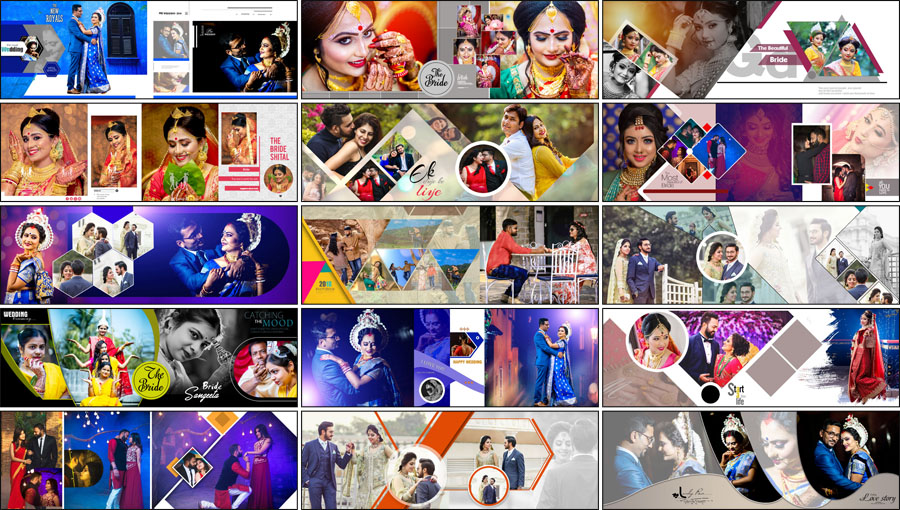
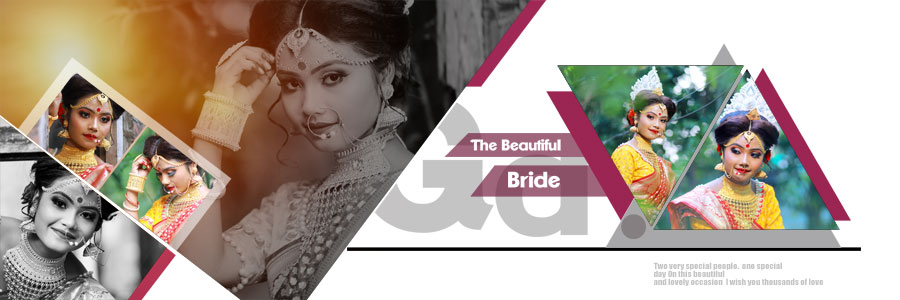
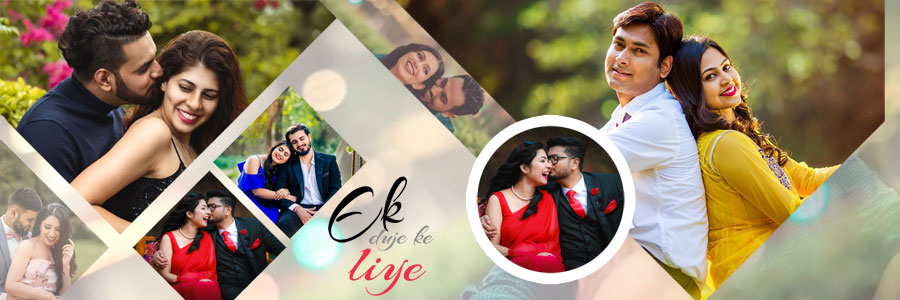
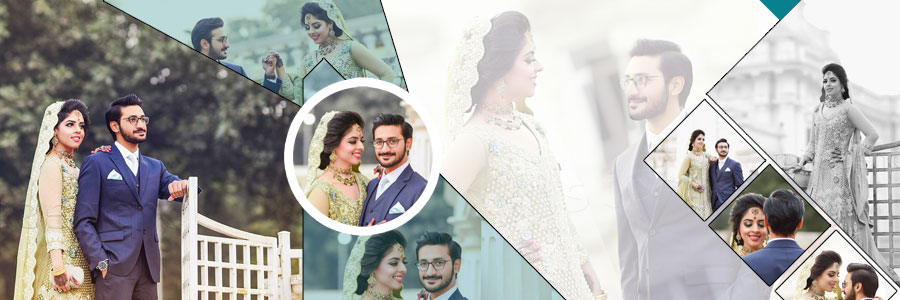
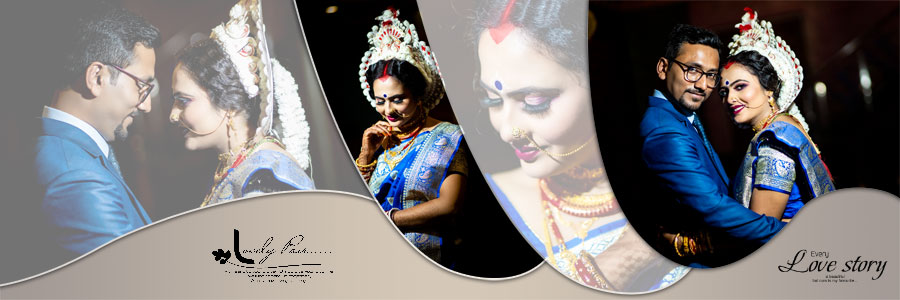
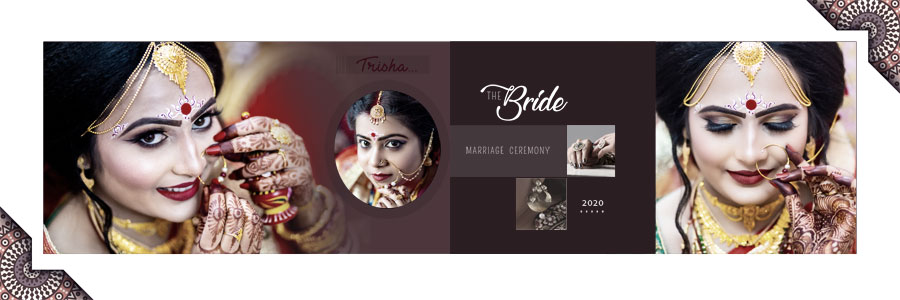
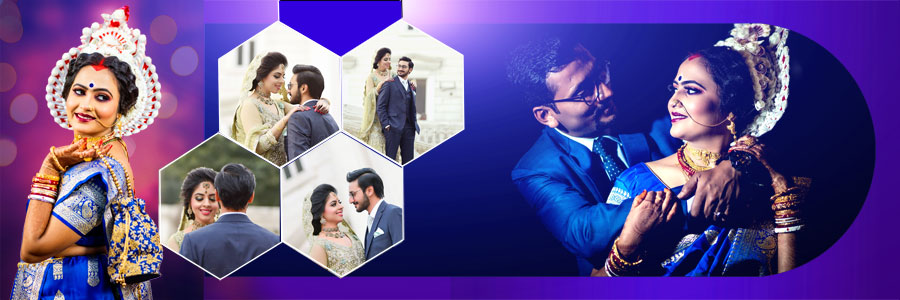
The main attraction of this collection is the variety of layouts for presenting bride and groom photographs. Some designs are suitable for large couple portraits, while others can accommodate several pictures from an outdoor photoshoot. Bridal close-ups and photographs in traditional wedding attire can also be used in suitable layouts, helping designers create a mix of romantic and traditional pages.
The wide 12×36 format gives the designer room to arrange photographs across a double-page spread. A strong couple portrait can take the main position, while smaller pictures can show different poses or moments from the same session. The 12×36 album PSD collection offers more options when a project requires different styles for different sections of the album.
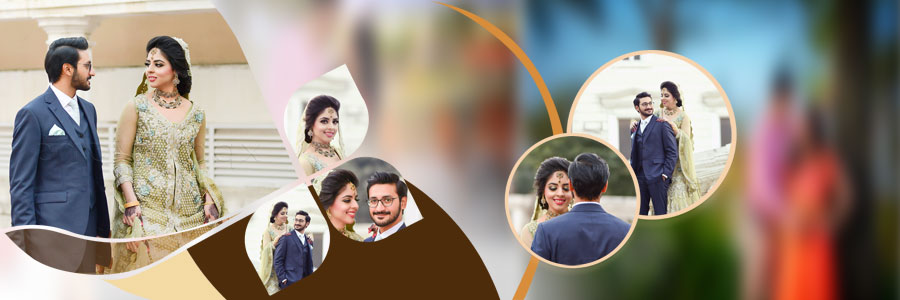
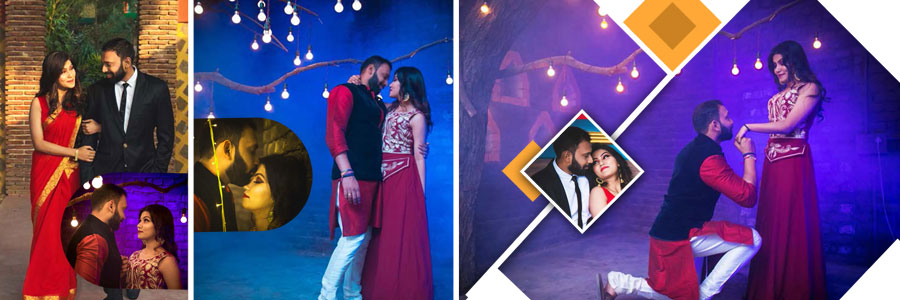
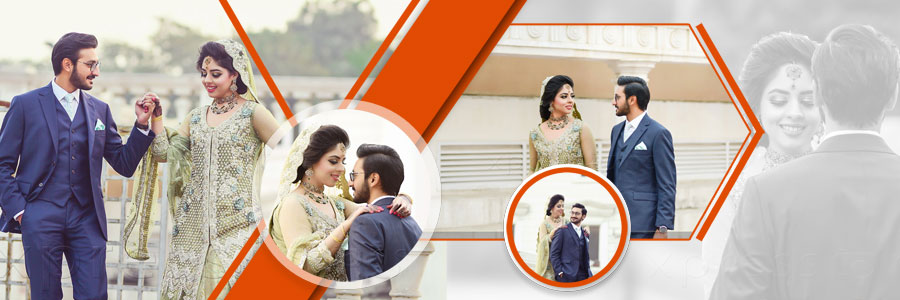
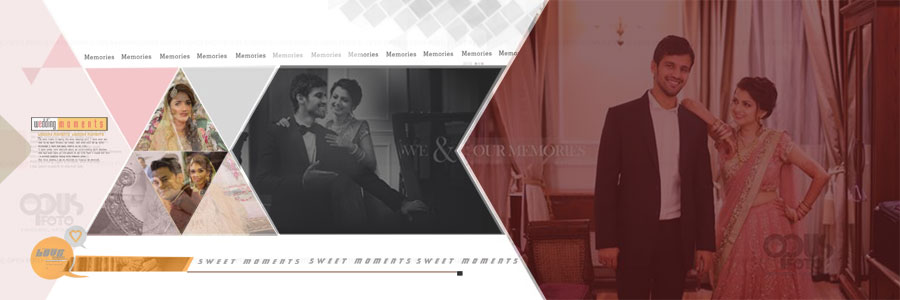
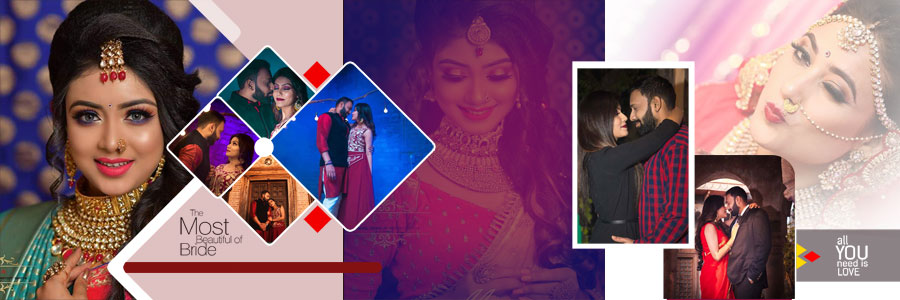
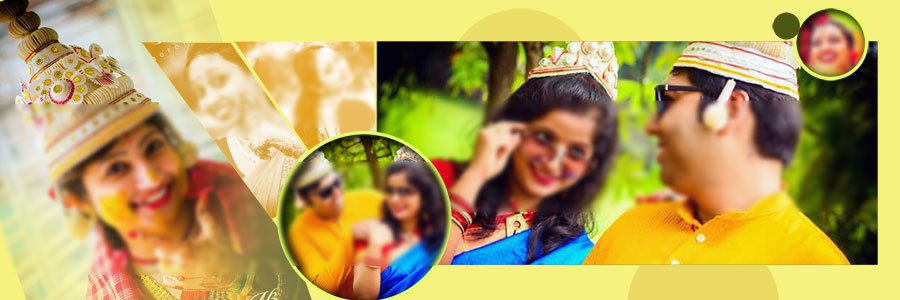
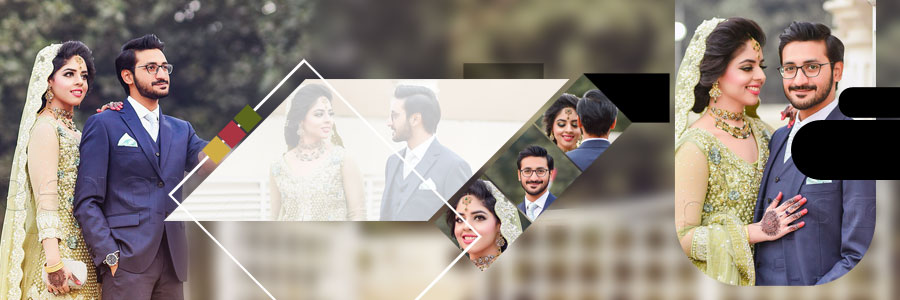
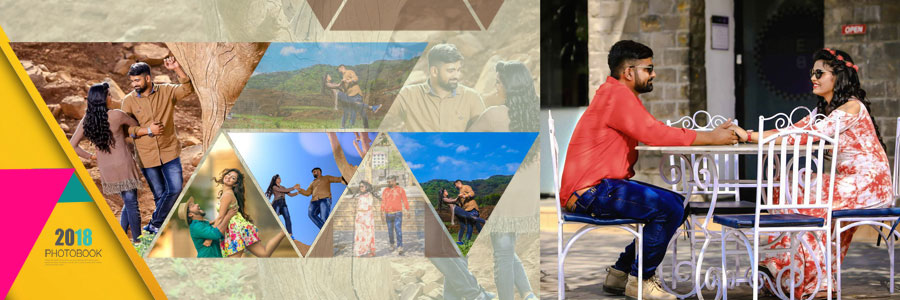
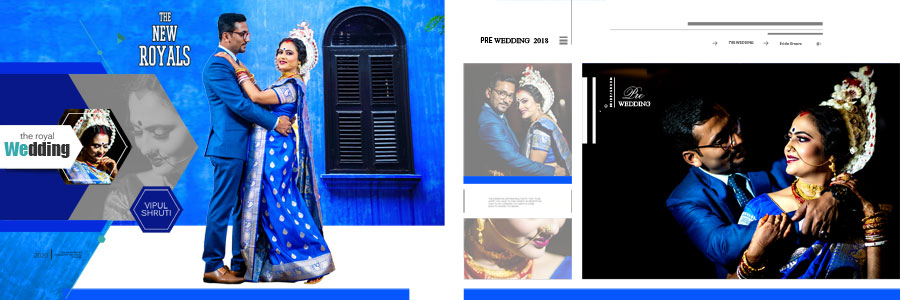
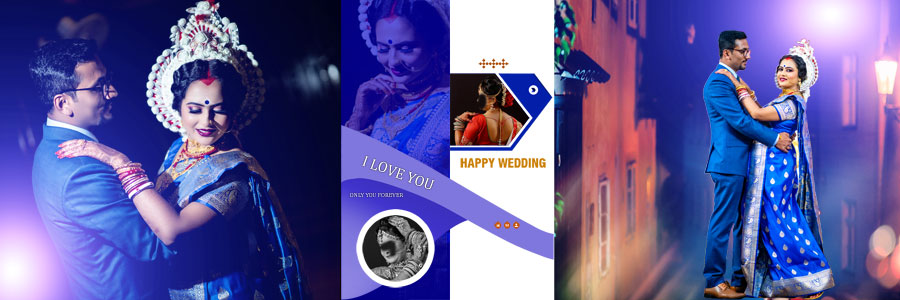
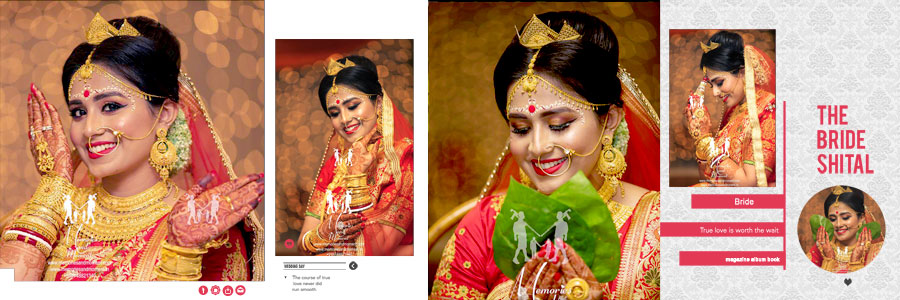
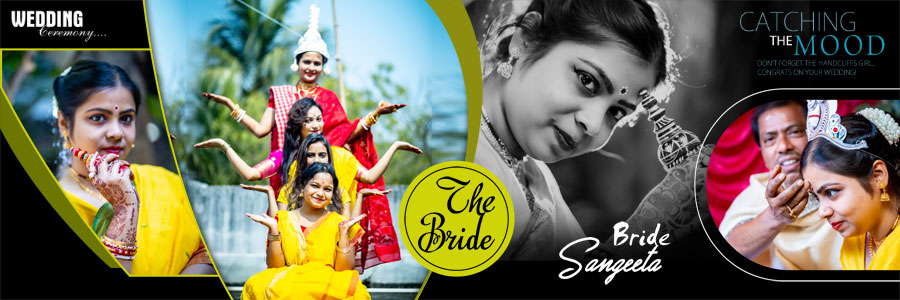
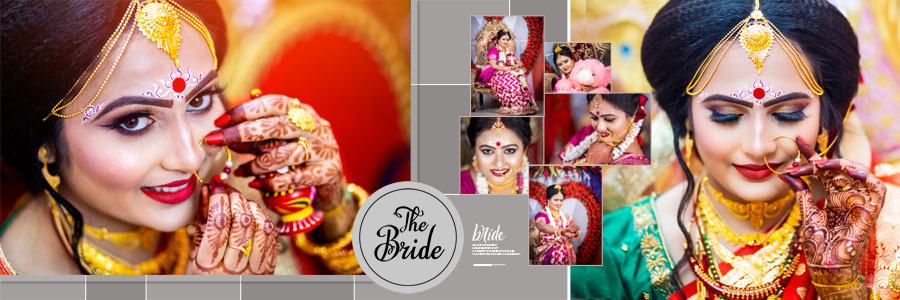
The preview images below help compare the frame styles, colour combinations, and overall photo arrangements before the PSD files are customised for a particular project.
What Makes These Pre-Wedding Album Designs Different?
A pre-wedding album can contain many types of photographs, and a single layout style may not suit all of them. A close-up portrait needs a different arrangement from a full-length couple photograph taken outdoors. These templates offer several visual approaches, giving designers more flexibility when selecting layouts for their photographs.
Circular and Diamond-Shaped Photo Frames
Circular frames can be used to highlight selected portraits, while diamond-shaped layouts create a different look from standard rectangular photo boxes. These shapes can add variety to the page, especially when used with a larger main photograph and a few supporting pictures.
Photo placement is important when using shaped frames. Faces and important details should remain visible, and the crop should look natural rather than forcing the photograph into an unsuitable position.
Creative Photo Collages
Collage-style layouts are useful when several photographs from the same pre-wedding session need to be displayed together. Different poses, expressions, and locations can be brought into one spread while keeping a clear visual focus.
Overlapping pictures and decorative elements can add interest, but they should not make the page feel overcrowded. A well-balanced collage gives each photograph enough room to be seen properly.
Colour Combinations for Different Photography Styles
The collection includes blue, purple, maroon, red, golden, and white colour schemes. Each colour can create a different effect around the photographs. Darker backgrounds may provide contrast with light clothing, while white and lighter shades can give portraits a clean appearance. Golden and maroon combinations may also suit photographs with traditional wedding styling.
The best colour choice depends on the actual photographs. Backgrounds and decorative details should support the images instead of taking attention away from the bride and groom.
Using These Designs for Bridal Portraits and Couple Photography
Pre-wedding photography often focuses on the couple, but the album may also include individual portraits and traditional photographs. This collection can be used to organise these images into different sections rather than repeating the same arrangement throughout the album.
For a romantic couple session, a large portrait can be paired with smaller photographs showing different poses. Bridal close-ups can be given more space when the details of the outfit, jewellery, or makeup are important. Traditional wedding photographs can be included in layouts that suit their colours and overall composition.
Designers who need layouts with more emphasis on traditional ceremonies can also explore the 25 Free Indian Wedding DM Album Design PSD Templates. This can provide more variety when preparing a complete wedding album with both pre-wedding and wedding-day photographs.
How to Customize the 12×36 PSD Files in Photoshop
The editable layers make it easier to adapt a selected template to the photographs and requirements of a project. Before making changes, it helps to organise the images and decide which portrait should receive the most attention on each spread.
- Open the selected PSD: Load the template in Adobe Photoshop and review the complete 12×36 layout.
- Check the layer structure: Use the Layers panel to identify photo areas, text, backgrounds, and decorative elements.
- Replace the photographs: Add the selected couple portraits, bridal close-ups, or traditional photographs to the suitable areas.
- Adjust photo cropping: Make sure faces, outfits, and other important details remain visible within the frames.
- Edit available text: Change names or other sample wording wherever editable text layers are included.
- Modify colours: Adjust editable colour elements to match the photographs and the preferred album style.
- Review decorative elements: Move or resize design elements when needed and where the layer structure allows.
- Save an editable copy: Keep a PSD version of the finished page so further corrections can be made later.
- Check the final spread: Review alignment, spacing, photo quality, and the overall composition before exporting.
For printed albums, the final document should also follow the printing laboratory’s requirements for size, colour settings, and file format. The quality of the original photographs affects the finished output, so high-quality source images are recommended.
More Free Wedding Album PSD Designs
Different layouts can help create a more varied album, with separate styles for pre-wedding pictures, wedding ceremonies, couple portraits, and other memorable moments. The following StudioPK collections may be useful for related projects.
- Modern Pre-Wedding Photo Album PSD Designs for more couple photography layouts.
- 12×36 Album PSD Free Download for additional album designs in the same format.
- Pre-Wedding Photo Album DM Designs Vol. 03 for more photo arrangement ideas.
A complete album can also benefit from a suitable cover design. The wedding album cover collection offers additional options for matching the outer cover with the style of the inside pages.
Frequently Asked Questions
Q: How many designs are included in this pre-wedding album PSD collection?
A: This collection includes 20 pre-wedding album PSD templates in 12×36 format.
Q: Can the 12x36 PSD templates be customised?
A: Yes. The editable PSD layers allow photographs, available text, colours, and other design elements to be changed in Photoshop.
Q: What types of photographs suit these album designs?
A: The layouts can be used for bride and groom portraits, couple photography, bridal close-ups, and suitable traditional wedding photographs.
Q: Are these pre-wedding album PSD templates free to download?
A: Yes. The collection is offered as a free download.
Conclusion
20 Latest 12×36 Pre-Wedding Album PSD Designs Free Download offers 20 editable layouts for presenting couple portraits, bridal close-ups, and traditional wedding photographs. The collection combines circular frames, diamond-shaped arrangements, creative collages, and blue, purple, maroon, red, golden, and white colour schemes. These designs provide a useful starting point for photographers and album designers who want different layout options without building every page from scratch. With editable Photoshop layers, the templates can be adapted to suit the photographs, colours, and style required for each album project.