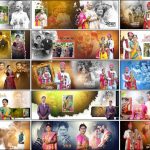
Pre-wedding photography captures some of the most memorable moments before a wedding. These photographs often include romantic couple portraits, outdoor photo sessions, creative poses, and beautiful pictures of the bride and groom. A well-designed album helps attractively present these memories. This collection of 20 Free Modern Pre-Wedding Photo Album Design PSD Templates 12×36 offers ready-made layouts for photographers and album designers who want stylish designs for their projects. The templates feature different backgrounds, creative photo frames, and balanced picture arrangements. More options are available in the wedding album design PSD collection on StudioPK. All 20 designs are provided in editable Photoshop PSD format, allowing designers to replace photographs, change available text, adjust colors, and customize individual design elements. With a 12×36 album layout and support for Adobe Photoshop CS3 through CC 2026, this collection provides a convenient starting point for modern pre-wedding album projects.

PSD Template Details
- Total Designs: 20 pre-wedding album PSD templates
- File Format: Adobe Photoshop PSD
- Album Size: 12×36
- Software Compatibility: Adobe Photoshop CS3 to CC 2026
- Customization: Replace photographs, edit available text, and adjust design elements
- Design Style: Modern pre-wedding and couple photography
- Price: Free download
Free Modern Pre-Wedding Photo Album Design PSD 12×36
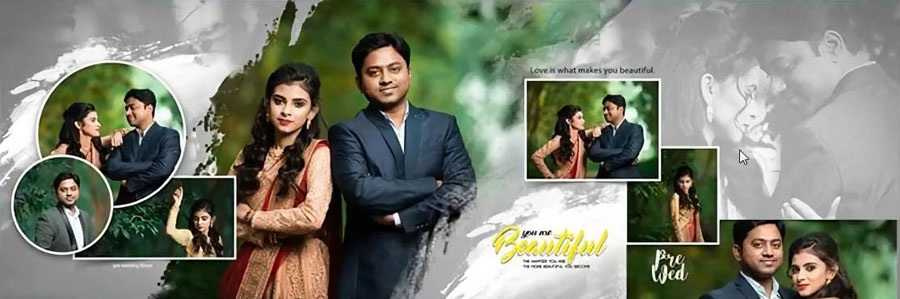
These 12×36 pre-wedding album design PSD templates are suitable for presenting romantic couple portraits, outdoor photography, creative poses, and other photographs captured before the wedding. The wide album format gives designers room to arrange larger pictures alongside smaller supporting images. This helps keep the main photographs in focus while maintaining a balanced page layout. The 12×36 album PSD collection also offers more design options for projects that need different layouts across several album pages.
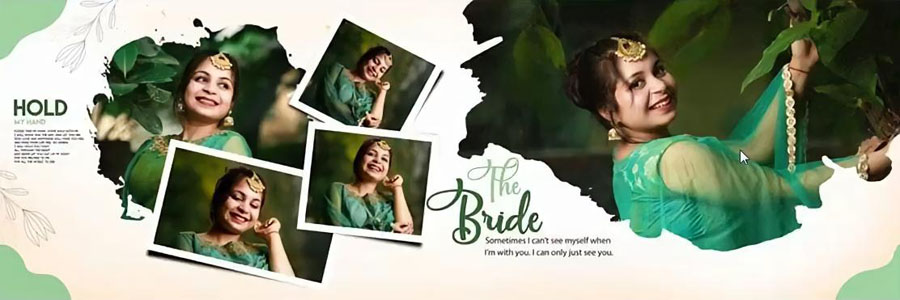
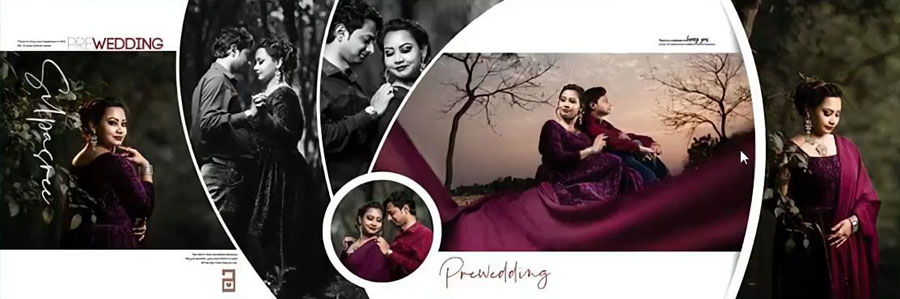
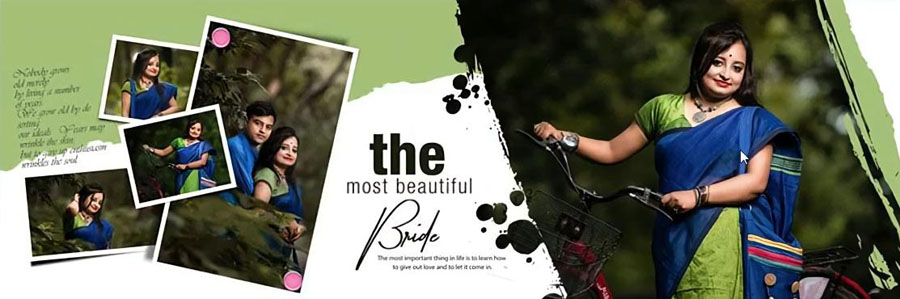
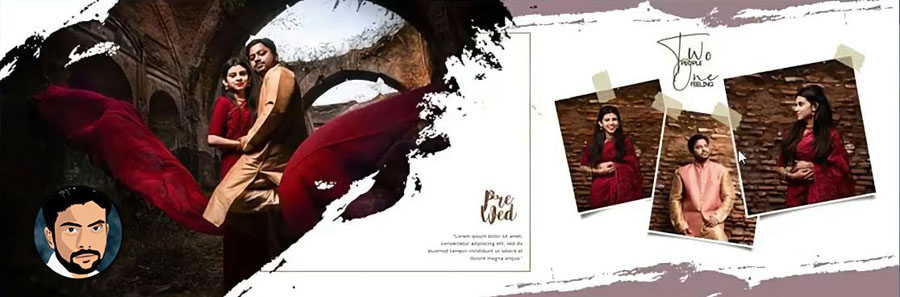
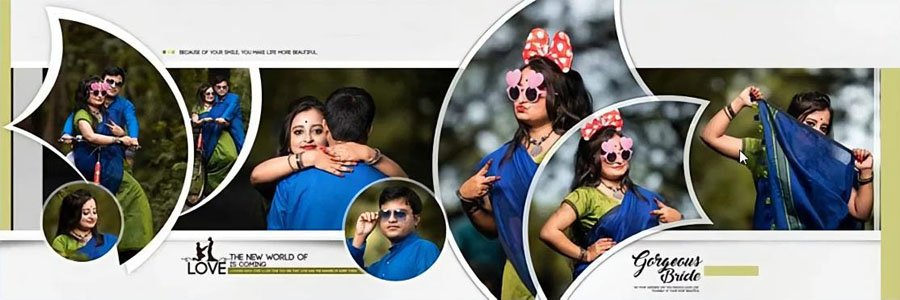
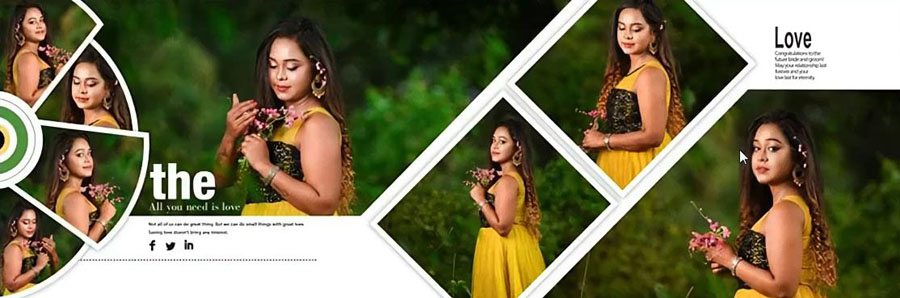
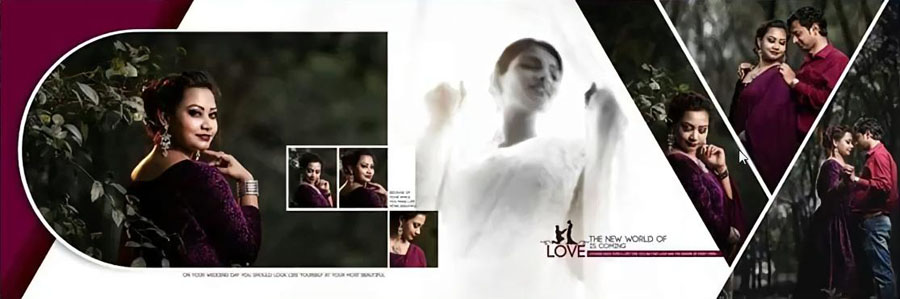
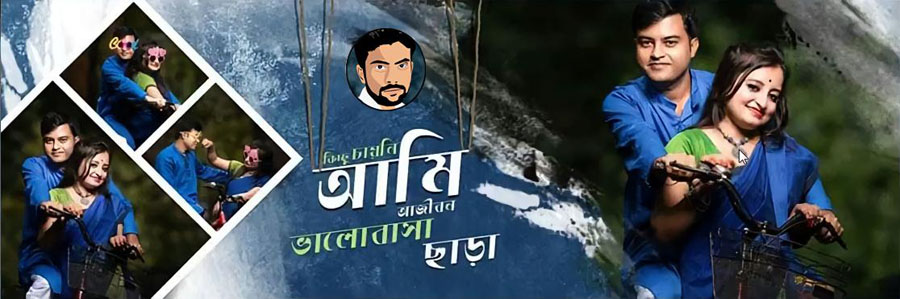
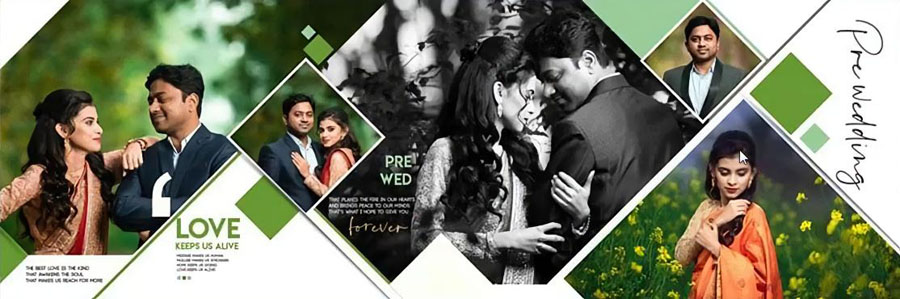
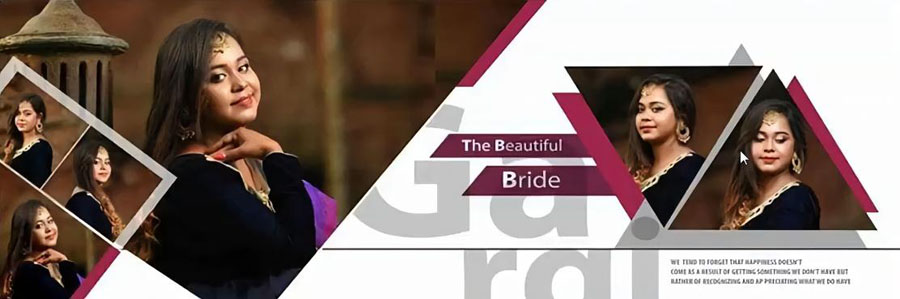
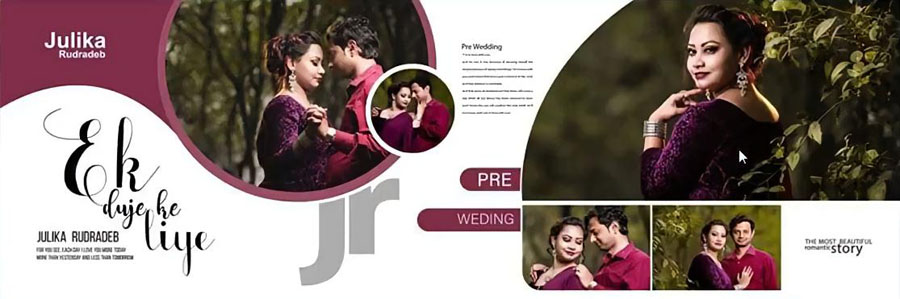
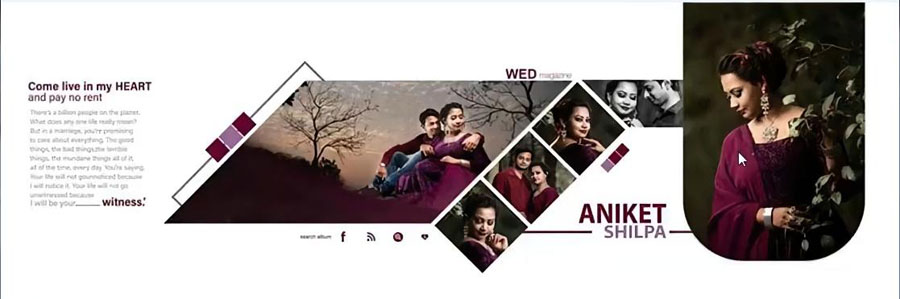
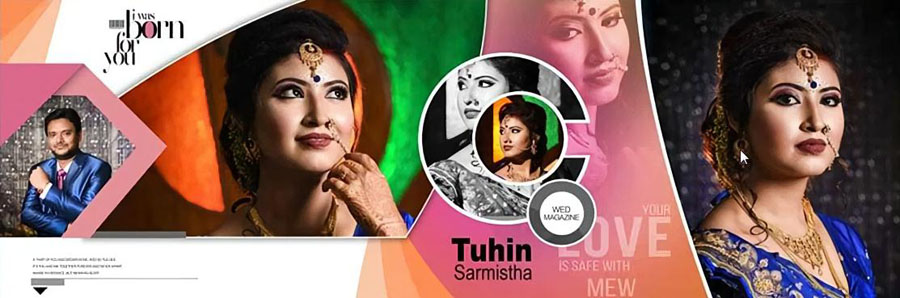
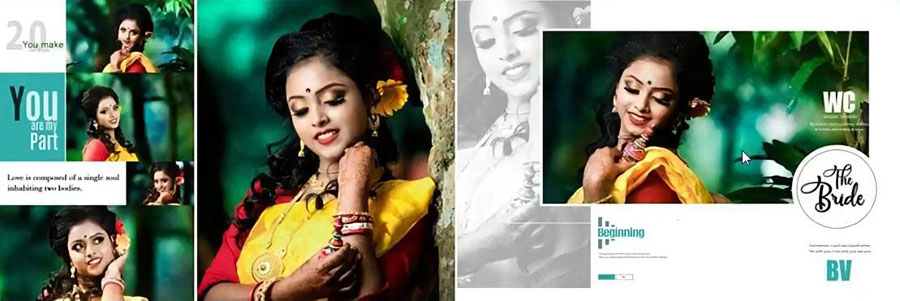
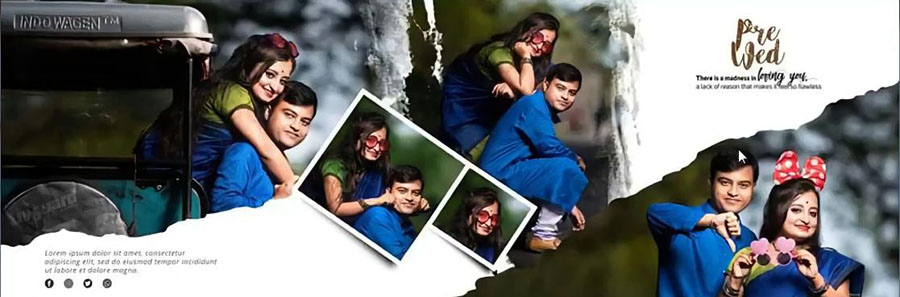
The collection includes green, white, navy blue, maroon, and dark backgrounds. Some layouts use circular and diamond-shaped photo frames, while others feature overlapping pictures, artistic brush effects, decorative details, and stylish text. Black-and-white photo treatments add another visual option for photographers who prefer a different look. These designs can be adjusted to suit the photographs instead of being used exactly as shown. The preview images help show the range of styles and make it easier to choose suitable layouts for a particular pre-wedding album.
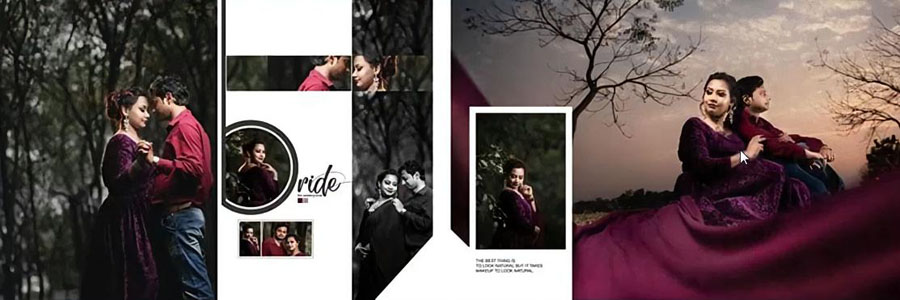
Modern Design Styles for Couple Photography
A pre-wedding album usually contains photographs taken in different locations and poses. Some pictures may show the couple outdoors, while others focus on close-up portraits or creative poses. Using different layouts helps present these photographs without making every album page look the same.
Creative Photo Frames
Circular and diamond-shaped frames add variety to a page and can help highlight selected photographs. These shapes work well when the main subjects remain clearly visible and the surrounding design does not distract from the couple. Designers can adjust photo placement to make sure important details are not cropped.
Overlapping Photo Layouts
Overlapping pictures allow more than one photograph to be displayed within the same spread. This can be useful when a couple session includes several good poses from the same location. Larger pictures can take the main position, while smaller images add detail and variety.
Colorful and Dark Backgrounds
The collection includes green, white, navy blue, maroon, and dark background styles. White and lighter backgrounds can give photographs a clean appearance, while darker colors can create stronger contrast around bright clothing or portraits. The final color choice should suit the photographs rather than overpower them.
Artistic Effects and Black-and-White Photos
Brush effects, decorative details, and black-and-white photo treatments add more choices when creating a personal album style. These features can be useful for separating one page from another while maintaining a consistent look across the complete album.
More inspiration for bridal photography layouts is available in the bride portrait album design PSD collection. Designers can explore these styles when a project includes both individual portraits and couple photographs.
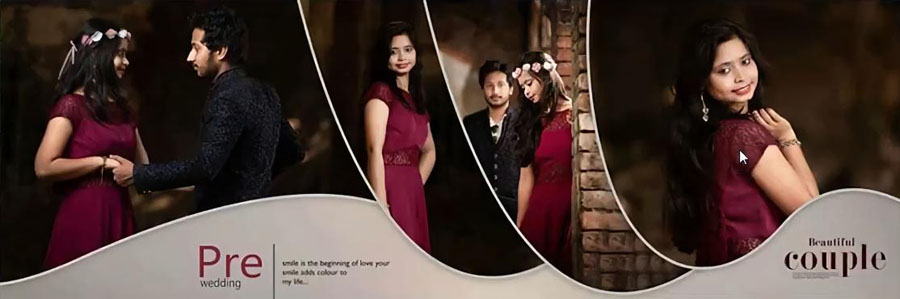
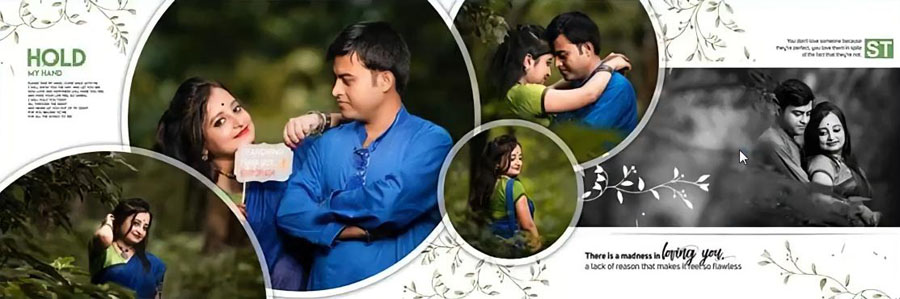
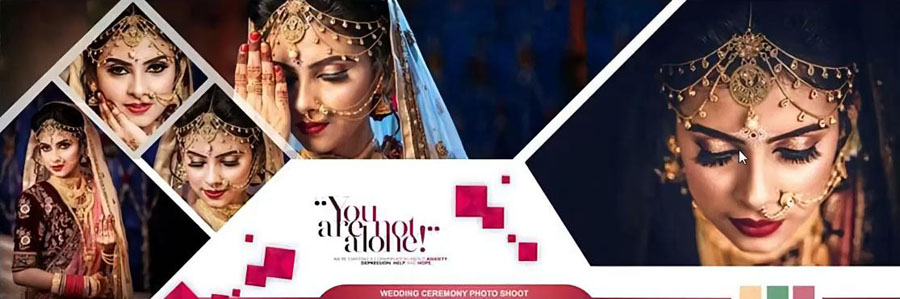
Why Use Editable 12×36 Pre-Wedding Album PSD Templates?
Creating every album page from a blank Photoshop document can take a lot of time, especially when several client projects need to be completed. Ready-made PSD templates provide a useful starting point and allow designers to focus more on selecting photographs and improving the final layout.
The 12×36 format offers a wide space for presenting couple photography across a double-page spread. A large portrait can become the main focus, while other photographs can be arranged around it. Different layouts can also be used for outdoor sessions, romantic poses, and close-up portraits.
Because the files are fully editable, designers can replace the sample photographs, adjust available text, change colors, and modify design elements. This flexibility makes it easier to prepare a layout for different clients without rebuilding the complete design from scratch.
Designers who prefer floral styling can also explore the modern blue floral album design PSD templates. For projects focused more closely on bride and groom portraits, the 12×36 couple album design PSD collection provides another relevant option.
How to Customize Pre-Wedding Album Design PSD in Photoshop
These templates are compatible with Adobe Photoshop CS3 through CC 2026. A simple editing process helps keep the page layout organised and makes future corrections easier.
- Open the PSD file: Open the selected design in a compatible Photoshop version and review the complete 12×36 layout.
- Check the layers: Look through the Layers panel to identify photo areas, backgrounds, text, and decorative elements.
- Replace the photographs: Add the required couple portraits and outdoor pre-wedding pictures to the suitable photo areas.
- Adjust the photo crop: Position each photograph carefully so that faces, clothing, and important details remain visible.
- Edit available text: Update sample names or other text wherever the design includes editable text layers.
- Change colors: Adjust editable colors and backgrounds to match the photographs or the preferred album theme.
- Organise the layers: Keep important elements separate instead of merging the entire design during editing.
- Save the working PSD: Keep an editable copy so that further changes can be made when required.
- Check the final layout: Review image quality, spacing, text placement, and the overall balance before exporting the album page.
For print work, the final document should be checked against the album printer’s required dimensions, color settings, and export format. The quality of the original photographs also affects the finished result.
More Free Wedding Album Design PSD Templates
A complete album becomes more interesting when different page styles are used for different photographs. The following collections offer more options for wedding, couple, and creative album projects.
- 15 Modern Blue Floral Album Design PSD 12×36
- 20 Couple Album Design 12×36 Free PSD
- 12×36 Album PSD Free Download
- 20 Creative Wedding Album Design PSD
Photographers preparing a coordinated album cover can also browse the wedding album cover design collection. For projects outside wedding photography, the birthday album design collection provides additional Photoshop design ideas.
Frequently Asked Questions
Q: How many pre-wedding album PSD templates are included?
A: The collection includes 20 modern pre-wedding photo album design PSD templates.
Q: What is the size of these pre-wedding album designs?
A: The templates are designed in the 12×36 album format.
Q: Can the PSD templates be edited in Photoshop?
A: Yes. The designs are editable in Adobe Photoshop CS3 through CC 2026. Photographs, available text, colors, and other design elements can be customized.
Q: Are these pre-wedding album PSD templates free?
A: Yes. The collection is offered as a free download.
Conclusion
20 Free Modern Pre-Wedding Photo Album Design PSD Templates 12×36 provides a useful selection of layouts for presenting couple portraits and pre-wedding photographs. The collection includes different background colors, creative photo frames, overlapping picture arrangements, brush effects, and black-and-white styling. Since the PSD files are editable in Photoshop CS3 through CC 2026, designers can adjust the photographs, text, colors, and other elements to suit each project. These free templates offer a convenient starting point for photographers, album designers, and beginners who want to create modern pre-wedding albums without designing every page from scratch.