A creative wedding album is not just a collection of photographs. How you place each picture, the colours around it, and the connections between moments can change the look of the entire album. This collection of 20 Free Creative Wedding Album Design PSD Templates 12×36 is made for photographers and album designers who want more interesting ways to present wedding and couple photography. The layouts include romantic portraits, outdoor shoots, beach scenes, bride-and-groom photos, and memorable pre-wedding moments. Designers can explore more wedding album design PSD templates on StudioPK for additional ideas. Each design in this collection is provided in editable Photoshop PSD format, so photographs, available text, colours, and other design elements can be changed according to the project. The 12×36 format gives the designer a wide space to combine large portraits with smaller pictures and create a balanced wedding album spread.
PSD Template Details
- Total Designs: 20 creative wedding album templates
- Album Size: 12×36
- File Format: Adobe Photoshop PSD
- Design Style: Creative, modern, romantic, and couple photography layouts
- Layers: Fully editable PSD layers
- Customization: Photographs, available text, colours, and design elements
- Price: Free download
Creative Wedding Album Design PSD for Different Photography Styles
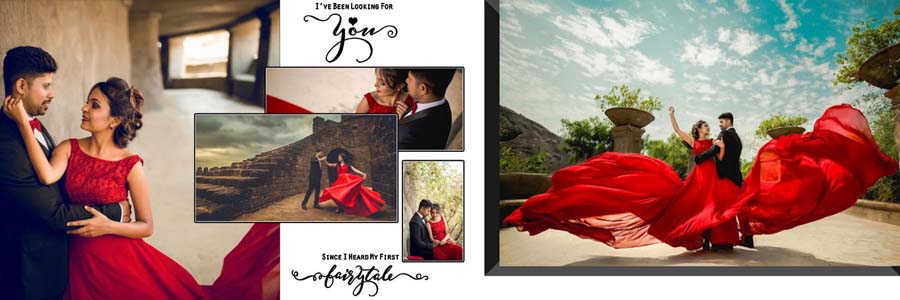
Every wedding photoshoot has its own look. Some couples prefer natural outdoor locations, while others choose beach photography, garden settings, or carefully planned pre-wedding poses. These 12×36 wedding album PSD templates offer different layout styles for presenting such photographs without making every page look the same.
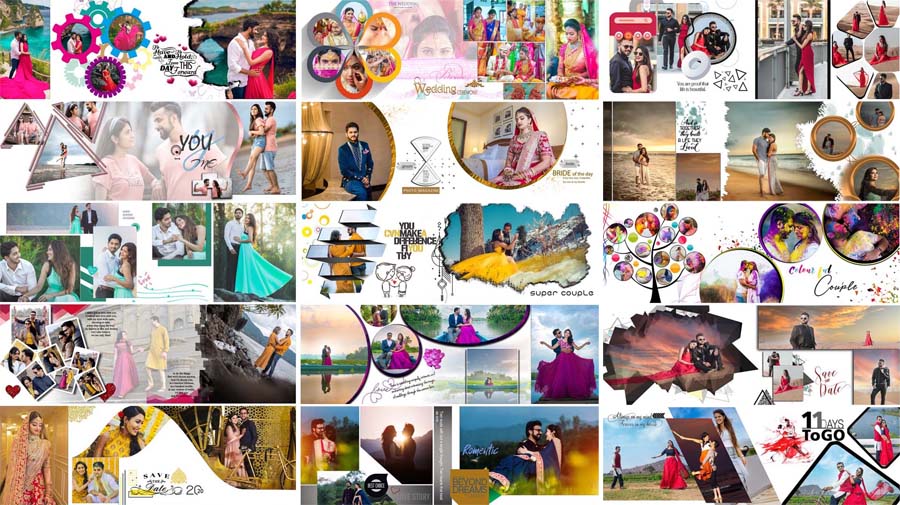
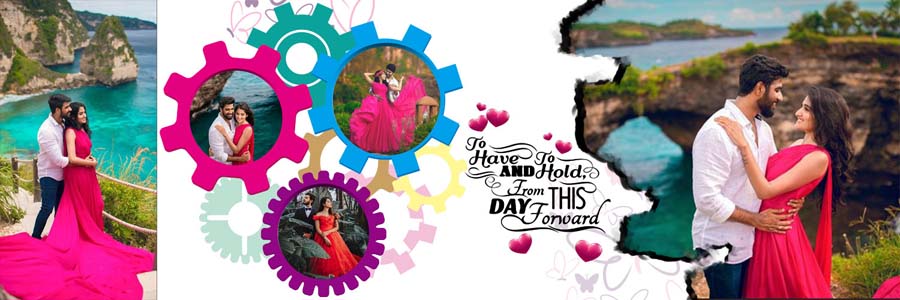
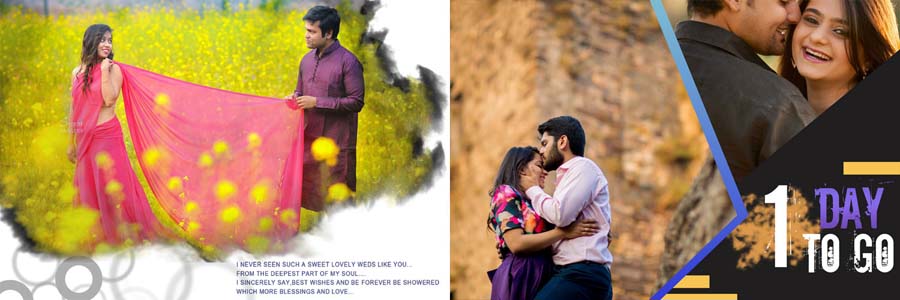
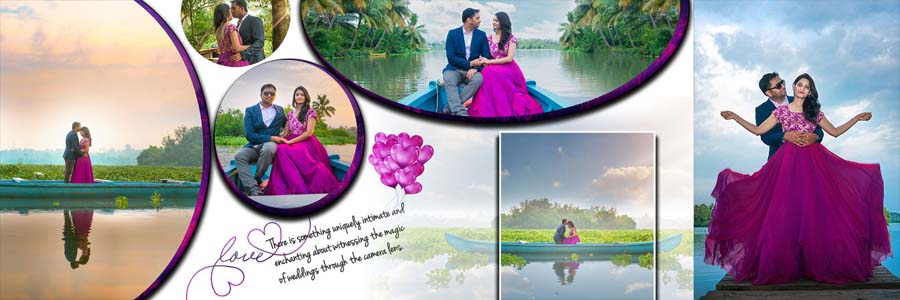
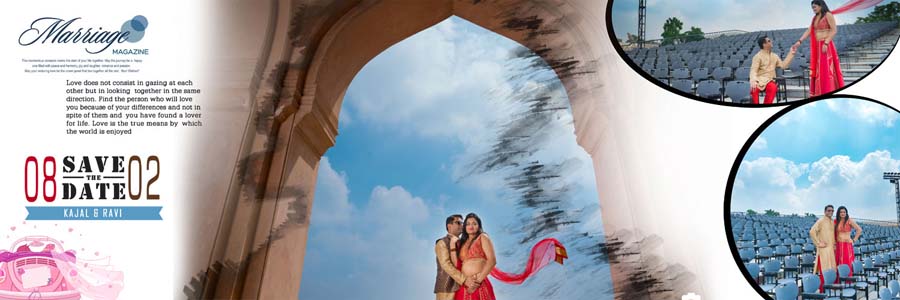
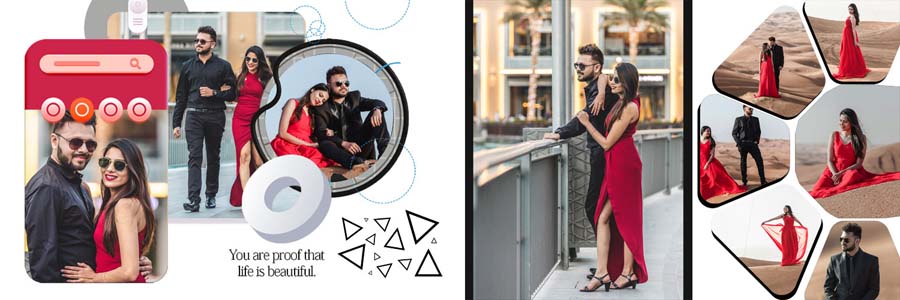
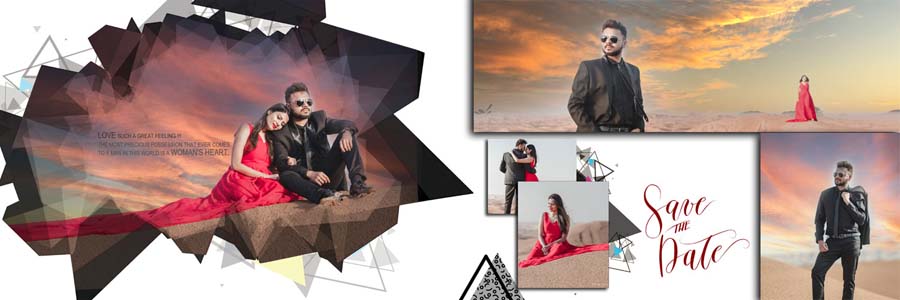
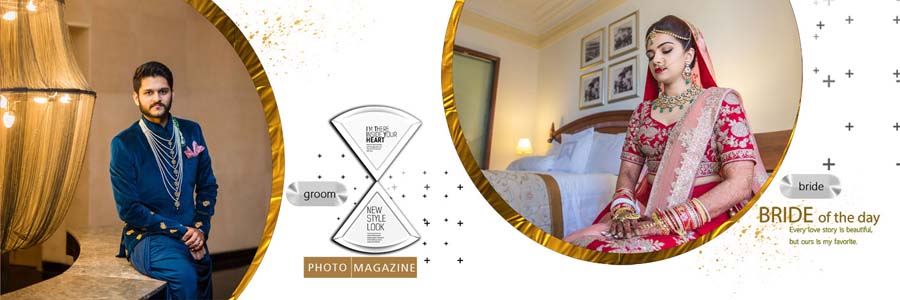
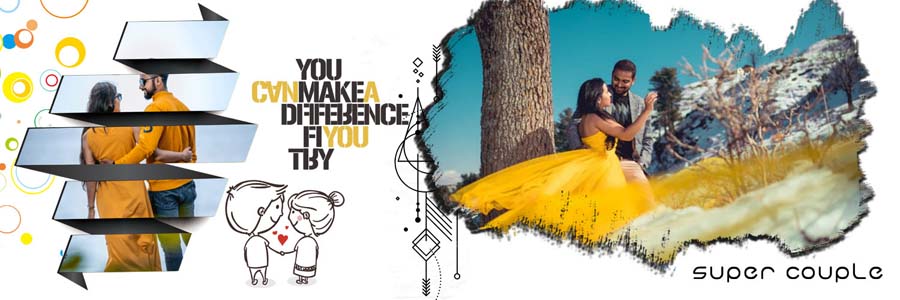
Some designs use circular frames and geometric shapes to highlight selected pictures. Others combine overlapping photographs, artistic brush effects, decorative backgrounds, and stylish typography. These elements can help connect several photographs within one spread while keeping the main portrait easy to notice.
The wide layout is particularly useful when one large photograph needs to work alongside smaller supporting pictures. For more options in the same format, the 12×36 album PSD collection provides additional layouts for building a complete wedding album.
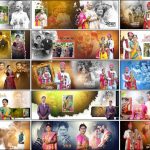
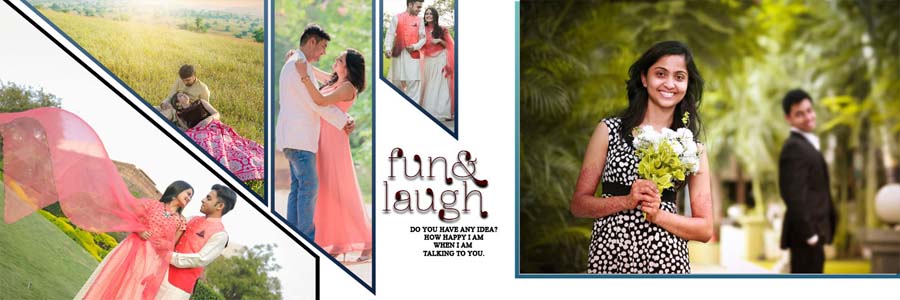
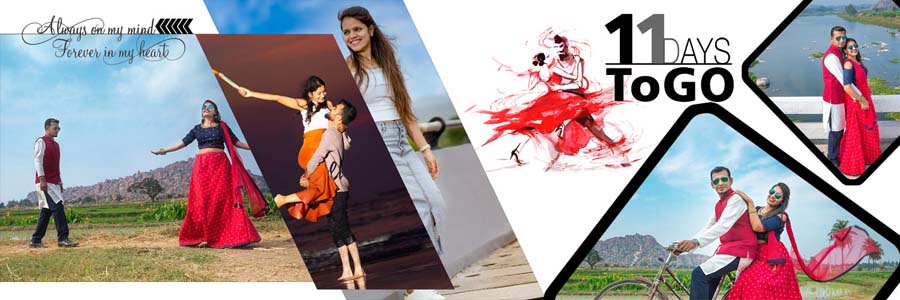
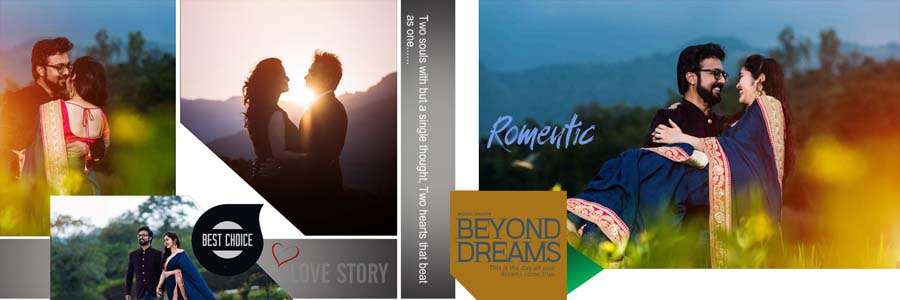
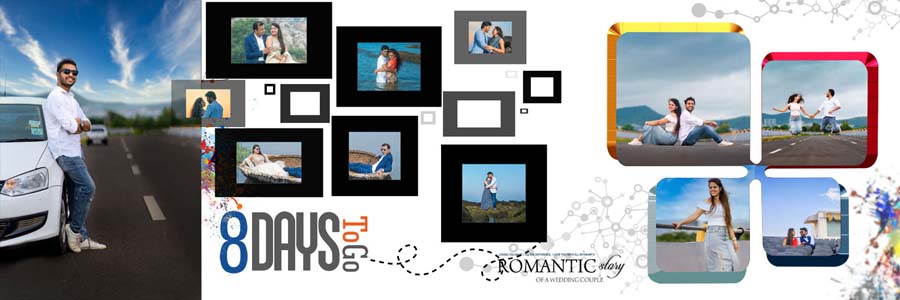
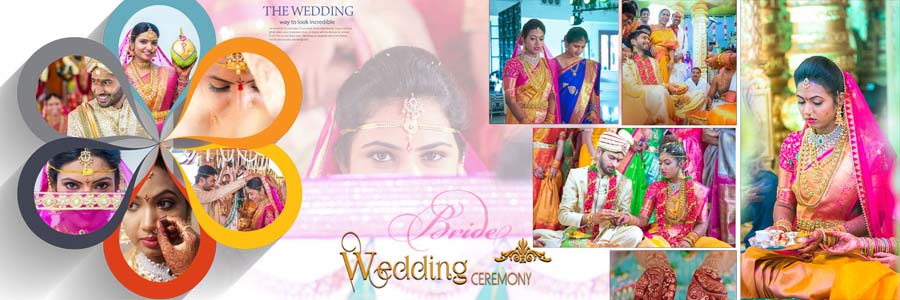
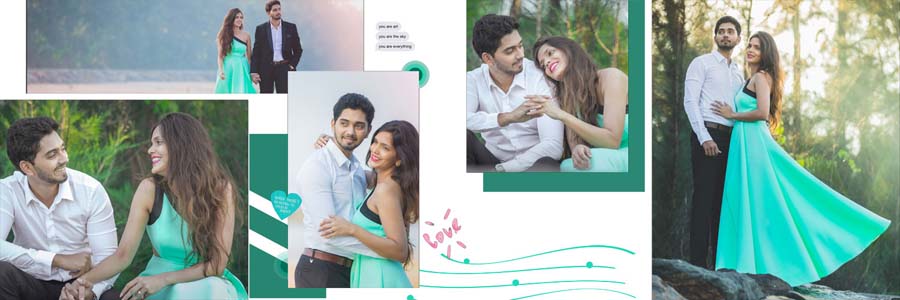
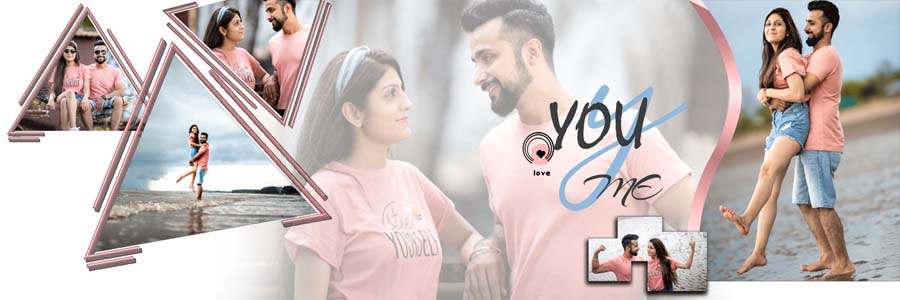
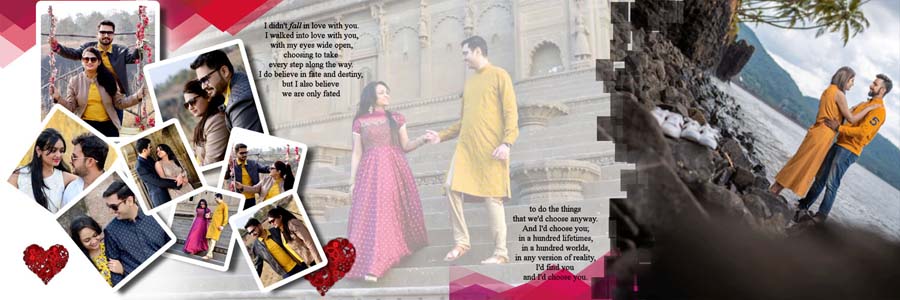
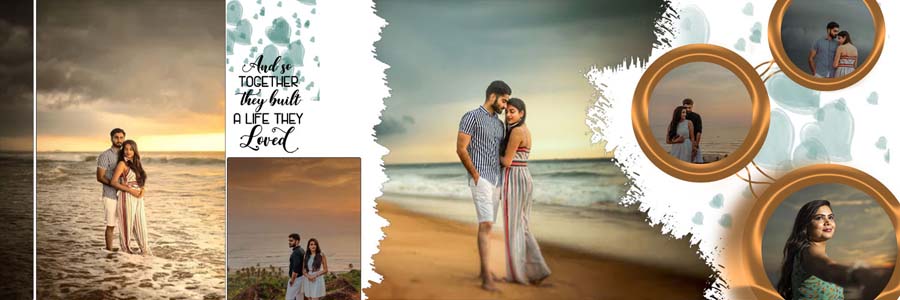
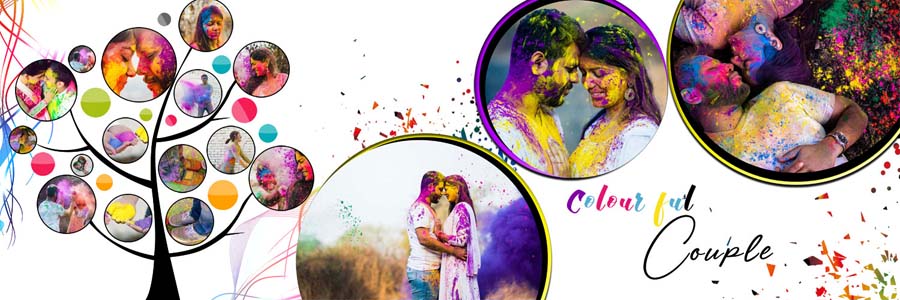
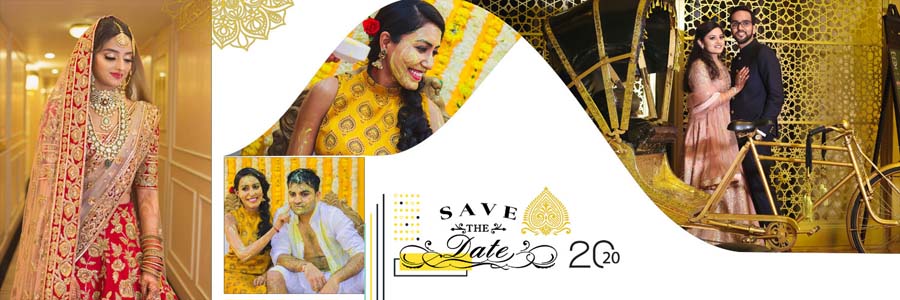
The preview images in this post show the different compositions, colour combinations, and photo arrangements available in the collection. They can help designers choose a layout that suits the photographs before starting the editing process.
What Makes These Wedding Album Layouts Creative?
Creative album design depends on how the photographs and design elements work together. A page can contain several pictures and decorative details, but it still needs a clear focal point. These templates offer a mix of layouts that can be adapted to different types of wedding photography.
Geometric Frames and Artistic Photo Placement
Circular and diamond-shaped photo frames provide an alternative to ordinary rectangular picture boxes. They can be useful for highlighting individual portraits or adding variety to a photo collage. Diagonal arrangements and overlapping images also help create a different visual flow across the spread.
When editing these designs, the important parts of each photograph should remain visible. Faces, expressions, outfits, and other key details should not be hidden behind decorative shapes or awkward cropping.
Outdoor and Beach Couple Photography
Outdoor pre-wedding photography often includes natural scenery, open spaces, greenery, and romantic couple poses. Beach photoshoots can have a different look, with open backgrounds and wider compositions. A suitable album layout should give these photographs enough room without covering too much of the original scene.
Templates with larger photo areas can work well for scenic portraits, while collage layouts can be useful when several pictures from the same photoshoot need to appear together.
Colour Combinations and Decorative Backgrounds
The collection includes a range of creative backgrounds and colour combinations. Some layouts use bright colours and decorative elements, while others focus more on artistic backgrounds and layered photographs. These options allow designers to select a visual style that complements the original images.
Colour selection matters because the background should support the photographs rather than compete with them. For example, a busy photo collage may benefit from simpler surroundings, while a portrait-focused page can use more decorative detail if there is enough clear space.
How to Build a Better 12×36 Wedding Album Spread
A 12×36 album spread provides a wide canvas, but using the entire space for too many photographs can make the final page look crowded. A better result usually comes from choosing a main photograph first and arranging the remaining images around it.
- Select a main photograph: Choose the strongest couple portrait or wedding image to act as the main focus of the spread.
- Add supporting pictures: Use smaller photographs to show different poses, locations, or moments from the same event.
- Maintain visual balance: Avoid placing every large photograph on one side while leaving the other side too busy or too empty.
- Keep important details visible: Check the bride and groom’s faces, clothing, and expressions before finalising photo crops.
- Use decoration carefully: Frames, brush effects, and background elements should support the photos rather than distract from them.
- Keep a consistent style: Different spreads can have different layouts, but the complete album should still feel connected.
These simple choices can make a noticeable difference to the finished album. A strong layout helps the photographs tell a story instead of making the page feel like a group of unrelated images.
Customising the Free Wedding Album PSD Templates in Photoshop
The editable PSD format allows designers to personalise the templates for different weddings and client requirements. Before editing, it is helpful to select the photographs and decide which images should receive the most attention.
- Open the PSD file: Load the selected template in Adobe Photoshop and review the complete 12×36 spread.
- Check the layer structure: Identify the photo areas, backgrounds, text layers, and decorative elements in the Layers panel.
- Replace sample photographs: Add the selected wedding or couple photos and adjust their position to fit the layout.
- Edit available text: Update names or other text wherever editable text layers are included.
- Adjust colours and backgrounds: Make changes to editable elements so they work well with the photographs.
- Modify individual design elements: Move, resize, or adjust elements where the layer structure allows it.
- Save an editable copy: Keep a PSD version of the completed design for future changes.
- Check the final spread: Review cropping, alignment, spacing, and image quality before exporting.
For printed albums, the final document should also be checked against the printing laboratory’s requirements for dimensions, colour settings, and file format. The quality of the original photographs is important for the final result as well.
More Free Wedding Album Design PSD Collections
A complete wedding album may include romantic couple portraits, traditional wedding photographs, bridal pictures, and other special moments. Using different layout styles for these sections can make the album more interesting and prevent the pages from looking repetitive.
The following StudioPK collections provide more design options for different wedding photography projects:
- Modern Pre-Wedding Photo Album PSD Designs for couple photoshoots and romantic portraits.
- 25 Free Indian Wedding DM Album Design PSD Templates for traditional wedding photography layouts.
- 12×36 Album PSD Free Download for additional album page styles.
- Pre-Wedding Photo Album DM Designs Vol. 03 for more couple album design ideas.
Designers who want to coordinate the outer presentation with the inside pages can also explore the wedding album cover design collection. For other photography projects, the birthday album design collection offers additional Photoshop layout resources.
Frequently Asked Questions
Q: How many designs are included in this collection?
A: This collection includes 20 free creative wedding album design PSD templates in 12×36 format.
Q: Can the wedding album PSD templates be customised?
A: Yes. The editable PSD layers allow photographs, available text, colours, and other design elements to be changed according to the project.
Q: What types of photographs suit these layouts?
A: The layouts are suitable for wedding portraits, bride and groom photographs, outdoor couple photoshoots, beach scenes, and pre-wedding moments.
Q: Are these 12x36 wedding album templates free?
A: Yes. The collection is available as a free download.
Conclusion
20 Free Creative Wedding Album Design PSD Templates 12×36 offers a variety of layouts for presenting wedding photographs more interestingly. The collection combines couple portraits, outdoor photoshoots, beach scenes, geometric frames, layered photo collages, and decorative backgrounds. Its editable Photoshop PSD format allows designers to change photographs, available text, colours, and other design elements to suit individual projects. For photographers and album designers who want to save layout time while exploring different creative styles, these free templates provide a useful starting point for their next wedding album.