Traditional wedding photography often includes a large collection of family portraits, couple photographs, ceremony moments, and detailed cultural events. A well-planned album layout helps these images look balanced and attractive without making the pages feel crowded. This collection of 20 Free Traditional Wedding Album Design PSD 12×36 templates is prepared for designers and photographers who need ready-made layouts for wedding album projects. The designs are created in 12×36 size with 300 DPI resolution and are fully editable in Adobe Photoshop. After downloading, the layouts can be customized according to the required photographs, colors, text, and overall album style. Compatibility ranges from Adobe Photoshop CS3 to CC 2026, making the templates useful for designers working with older as well as newer Photoshop versions. These 12×36 album PSD files are available as free PSD resources from StudioPK.
PSD Template Details
- Template Type: Wedding Album Design PSD
- Album Size: 12×36
- Resolution: 300 DPI
- File Format: PSD
- Editable: Yes, fully editable
- Photoshop Compatibility: Adobe Photoshop CS3 to CC 2026
- Usage: Wedding album design and photo layout customization
- Availability: Free PSD
Traditional Wedding Album Design PSD 12×36
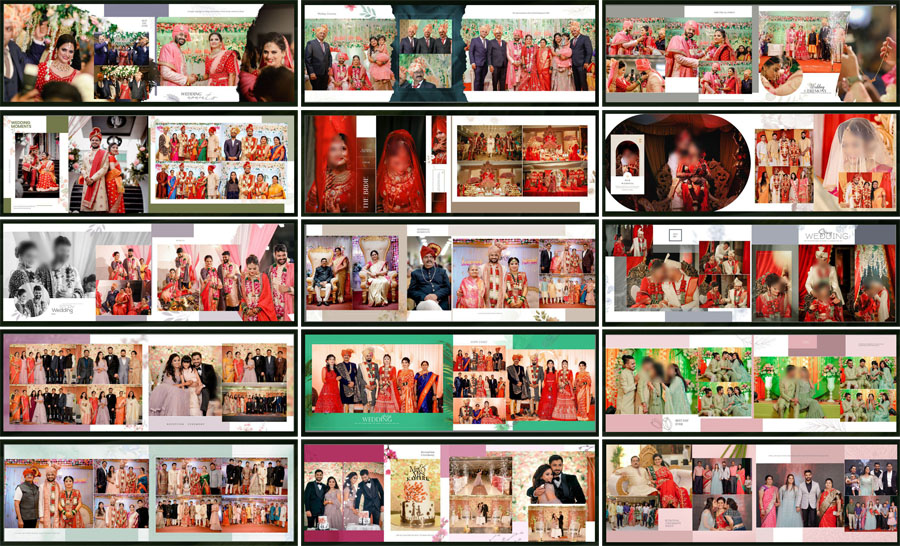
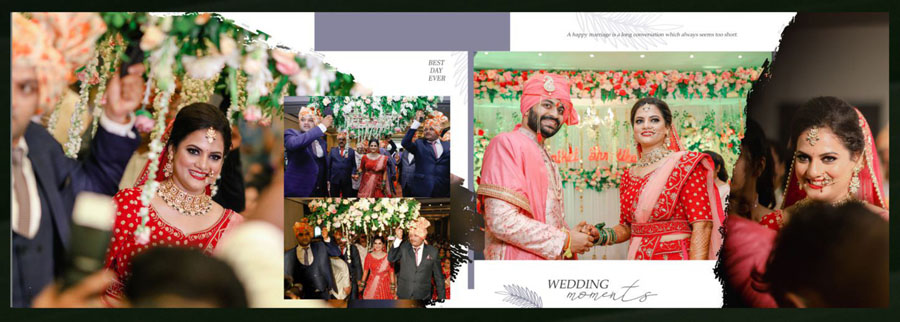
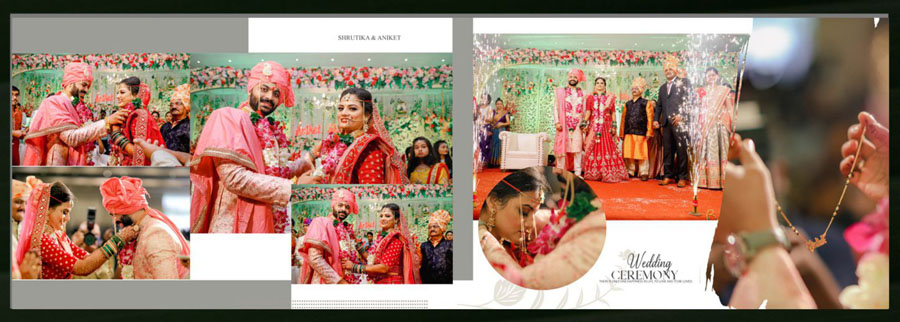
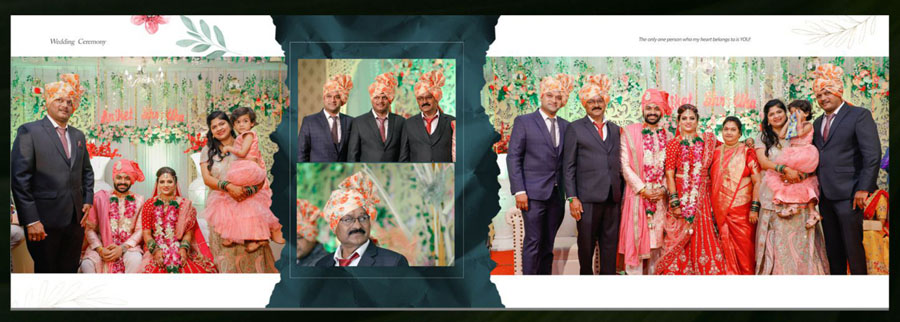
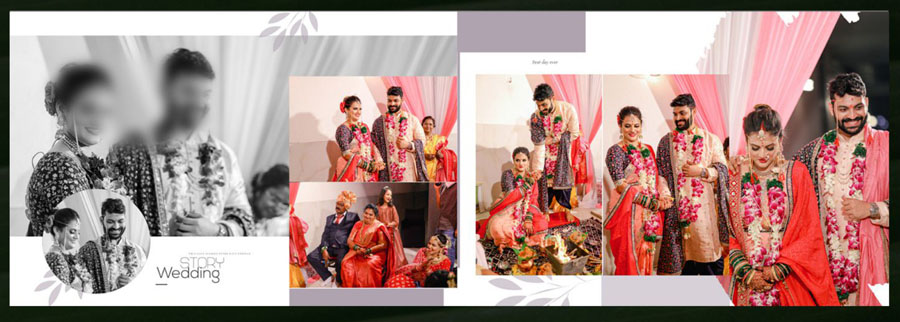
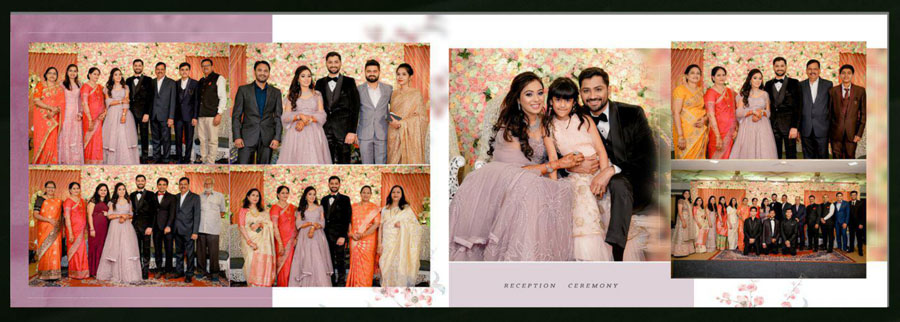
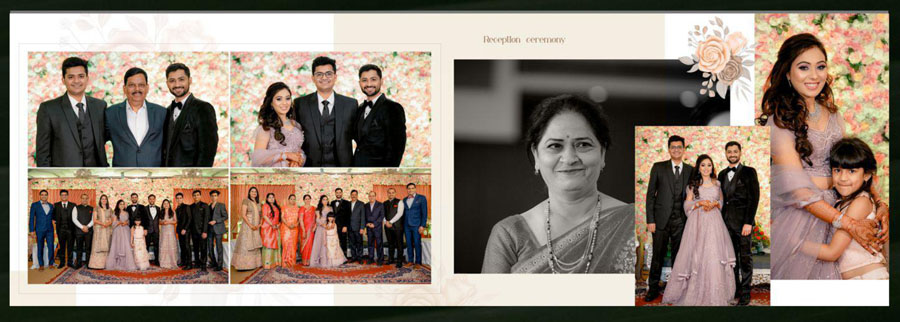
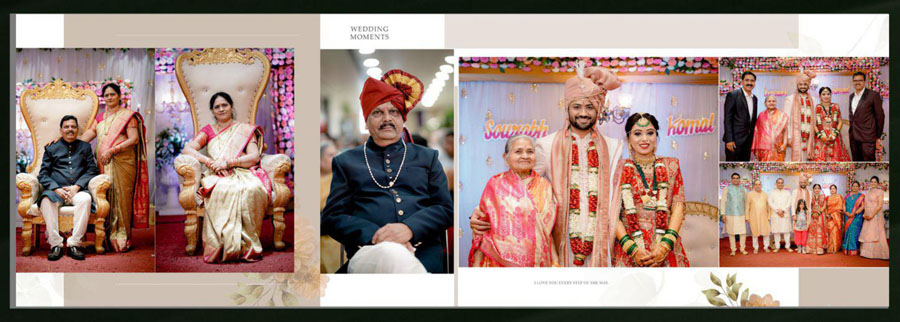
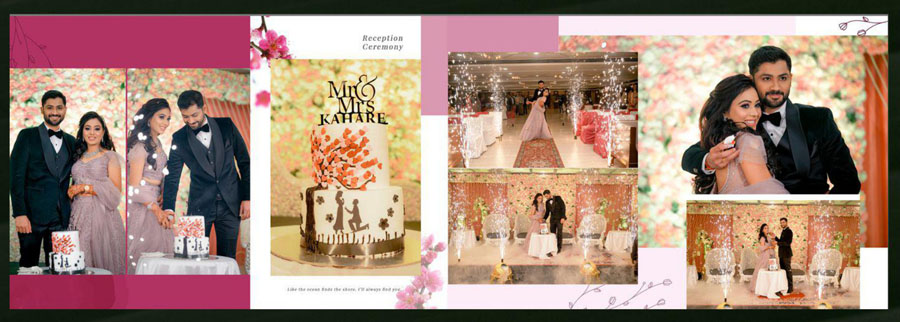
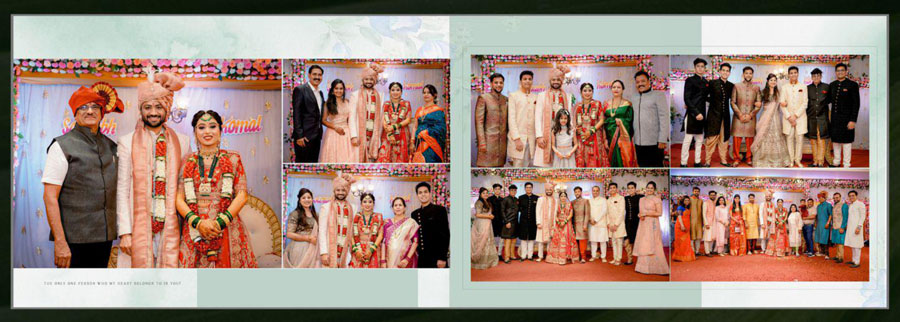
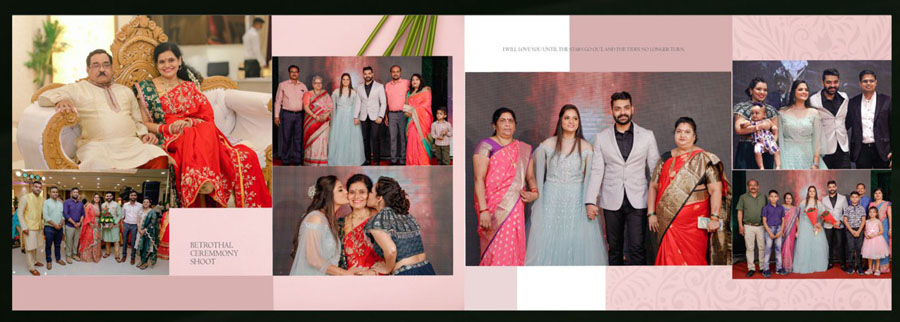
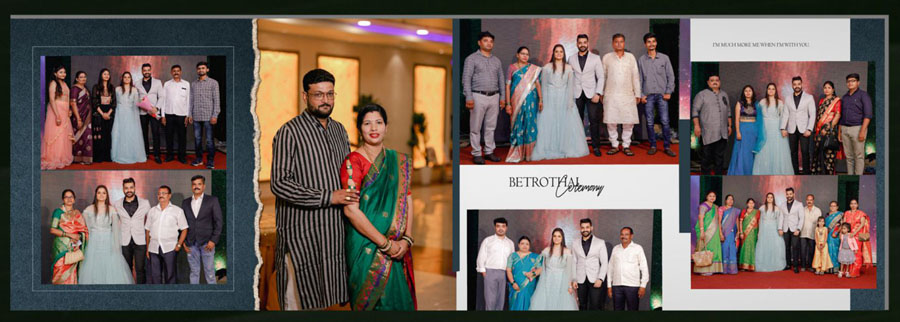
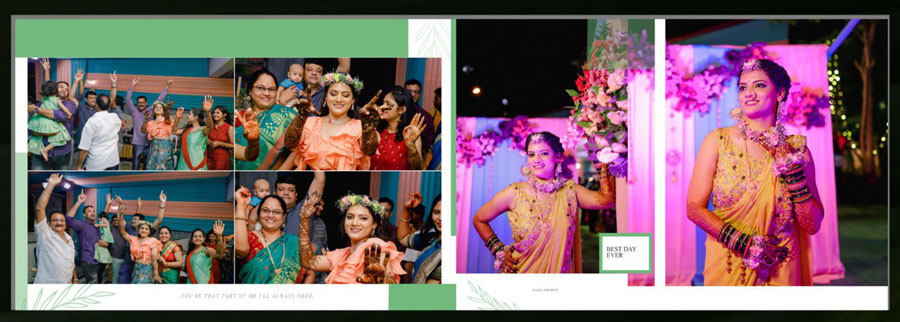
These 12×36 album design PSD 2026 templates are designed around the traditional wedding album style, where photographs need to be carefully arranged across a wide double-page spread. These layouts work well for wedding ceremonies, couple portraits, family photographs, bridal portraits, and other key moments from the event. Designers looking for more ready-made wedding album design PSD templates can also explore other collections available on StudioPK.
The 12×36 format provides enough working space for combining multiple photographs while keeping the main image visually prominent. Since the files are fully editable, professional album designers can replace photographs, modify text, adjust colors, move design elements, and make other changes according to the project. The collection can also be useful for projects inspired by Indian wedding album design 12×36 layouts, particularly when traditional photography and family events need to be presented together.
The preview designs below give a clearer idea of the page structure, decorative elements, and overall visual style before the PSD files are used in an actual album project.
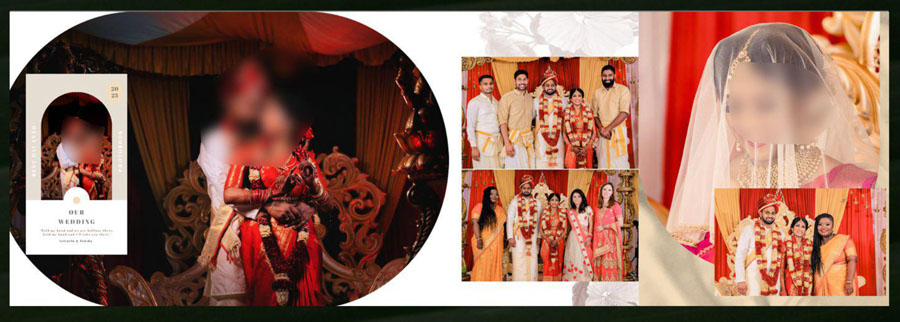
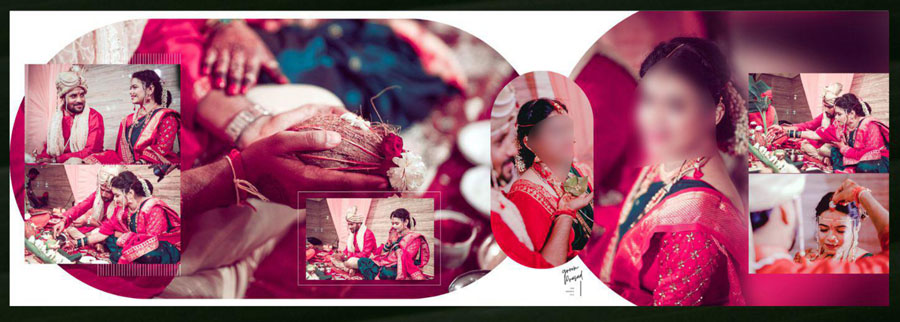
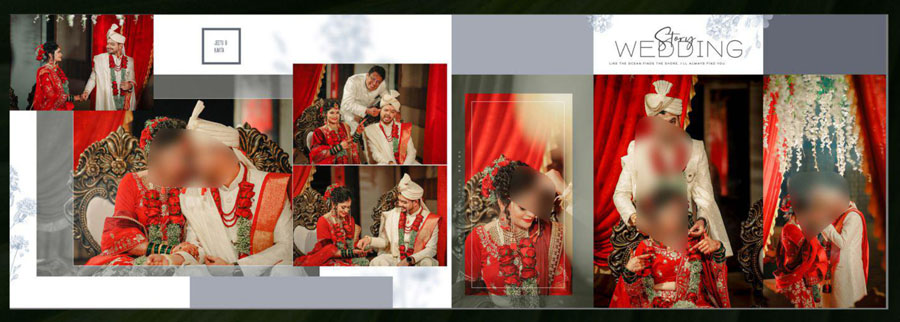
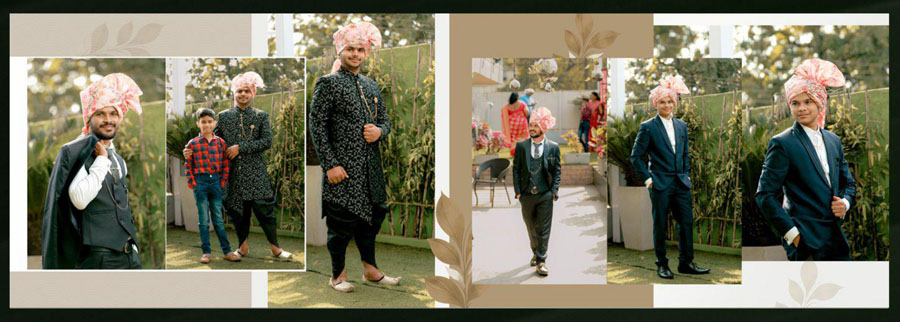
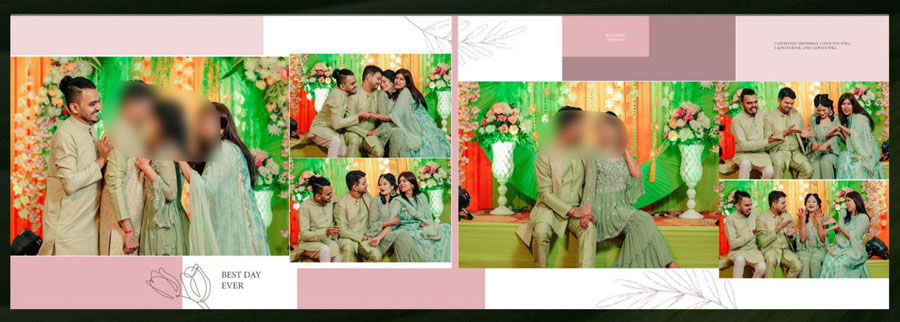
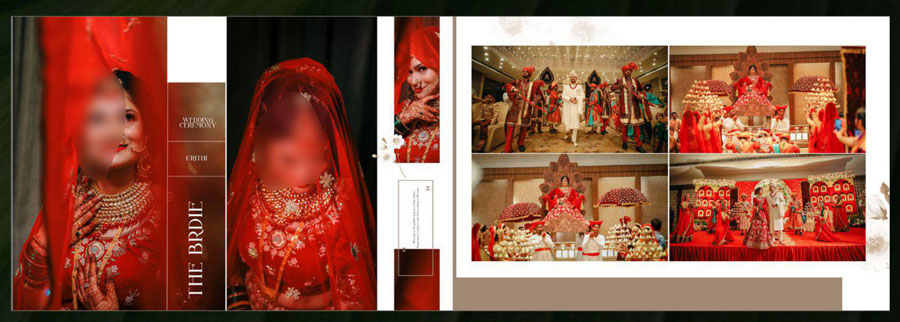
Features of These 12×36 Album PSD Templates
A practical album template needs more than attractive decoration. The layout should leave enough room for photographs and let the designer make changes without rebuilding the entire page from scratch. These album PSD 12×36 templates are designed with that workflow in mind.
The wide 12×36 canvas is suitable for double-page wedding spreads where several photographs need to work together. The 300 DPI resolution also makes the files suitable for professional album design and print preparation, provided the original photographs and final export settings are also prepared correctly for the printing process.
Because the templates are fully editable, designers can adapt the layouts for different wedding events instead of using the pages exactly as shown in the previews. A single layout can be adjusted for couple portraits, family group photographs, ceremony scenes, or detailed bridal images. This makes the collection useful for photographers who need a flexible wedding album PSD 12×36 free resource for regular projects.
More designs in the same format are available in the 12×36 album PSD collection, which can be useful when a complete wedding album needs different layouts from one spread to the next.
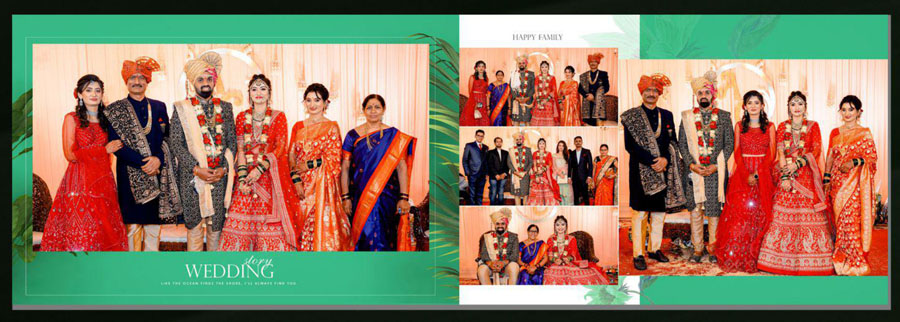
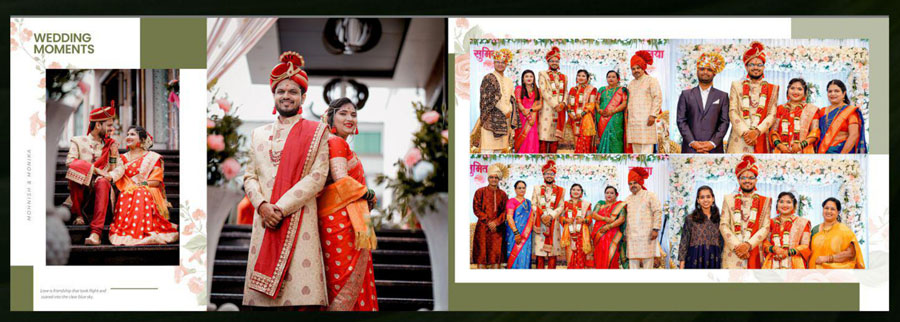
How to Customize 12×36 Album Design PSD in Photoshop
Customization is straightforward when the PSD file is opened in a compatible version of Adobe Photoshop. The exact editing process can vary depending on how individual layers are arranged, but the following workflow covers the main steps normally required for a wedding album project.
- Use a compatible Photoshop version: These templates are compatible with Adobe Photoshop CS3 through CC 2026, so the file can be opened in a wide range of Photoshop installations.
- Open the PSD file: Launch Photoshop and open the required 12×36 PSD template. The layout should appear with its editable design structure.
- Understand the layer structure: Check the Layers panel before making changes. Identifying photo areas, text layers, backgrounds, decorative elements, and other design components makes editing faster.
- Replace photographs: Add the required wedding photographs to the designated areas and position them carefully within each composition. Cropping should maintain the important parts of faces and subjects.
- Edit text: Change names, dates, headings, wedding details, or other text included in the layout. The existing font may need to be replaced if it is unavailable on the computer.
- Change backgrounds: Background images or colors can be modified when the project requires a different appearance. This is useful for matching the album with the wedding theme.
- Adjust colors: Photoshop adjustment layers, color overlays, or other editable elements can be changed to match the photographs and overall album styling.
- Replace fonts when necessary: If a template uses a font that is not installed, Photoshop may substitute another font. Replacing it with a suitable font can help maintain a consistent visual appearance.
- Keep layers organized: Avoid randomly merging editable layers during the design stage. Keeping the PSD organized makes later corrections much easier.
- Save the working PSD: Keep an editable PSD copy of the completed spread so photographs, text, or design elements can be changed later if required.
- Prepare the final export: After checking the complete spread, export the required file according to the album lab or printing service specifications. The correct color mode, dimensions, and file format should always be confirmed with the printer.
- Check the spread before printing: Review image placement, text alignment, edges, important facial areas, and the overall composition at full size before sending the final production design.
More Free PSD and Wedding Album Design Resources
Designers who regularly create wedding albums may also need other page styles for different parts of the project. StudioPK provides additional free PSD designs that can be useful for different Photoshop projects, while photographers working on other album categories can also browse the birthday album design collection.
For additional wedding album layout ideas, these related resources may also be useful:
- 20 Elegant Marriage Album Design PSD
- 20 Best 12×36 Wedding Album PSD for Family Photos
- 20 Creative Floral Wedding Album Designs
- Bride Portrait Album Design PSD Free Download
- 15 Modern Blue Floral Album Design PSD 12×36
- 20 Couple Album Design 12×36 Free PSD
Conclusion
These 20 Free Traditional Wedding Album Design PSD 12×36 templates provide a practical starting point for photographers and wedding album designers who need editable layouts for traditional wedding projects. With a 12×36 canvas, 300 DPI resolution, full editability, and compatibility from Photoshop CS3 to CC 2026, the collection can be adapted for different photographs, events, and album styles. The templates are especially useful when a project requires several coordinated wedding spreads without designing every page from an empty canvas.